How to Recover a Disabled Instagram Account in 2026
Step-by-step recovery process with proven methods and timelines.
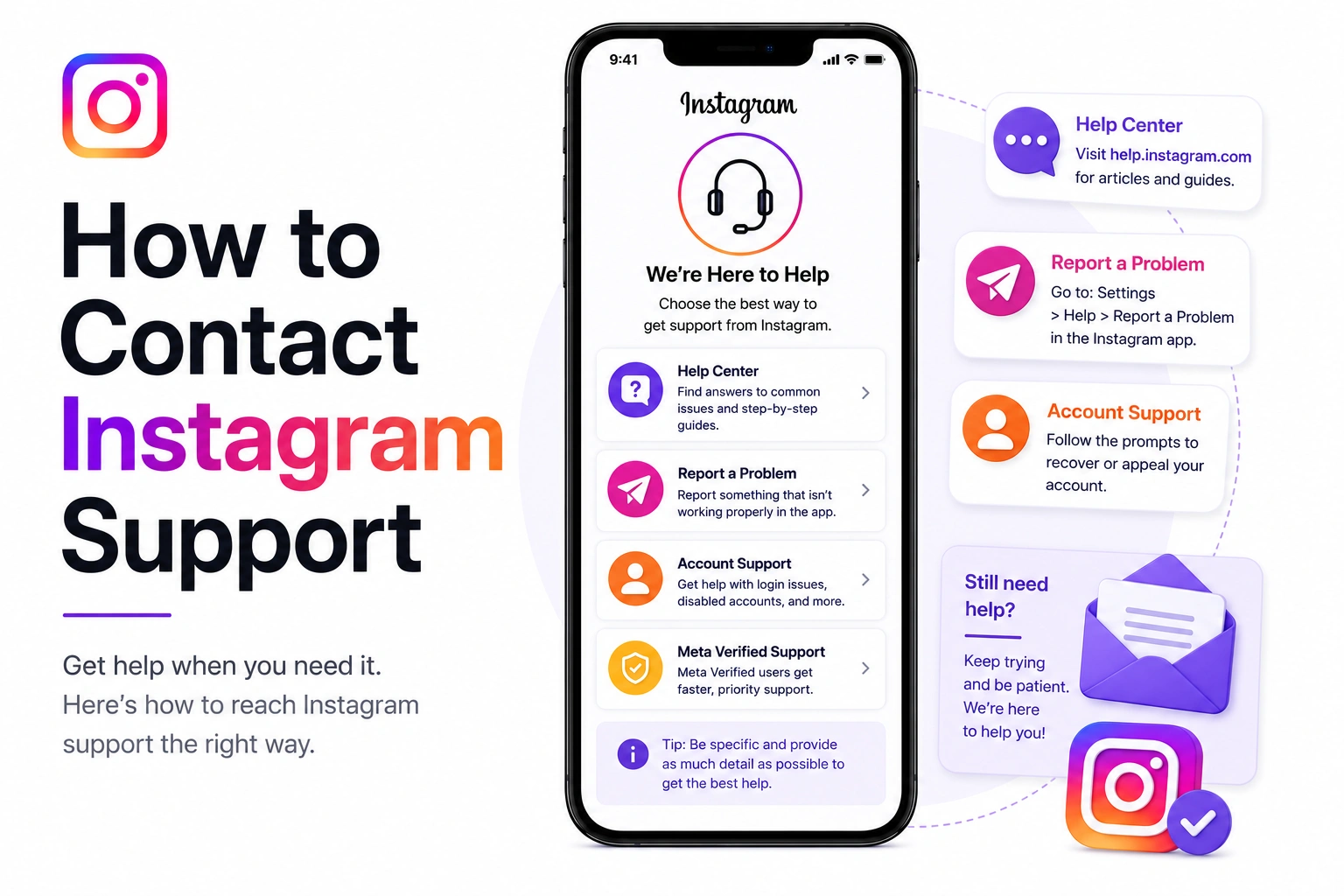
You need help with your Instagram account. Maybe it's disabled, locked, hacked, or you have a technical issue. You search "Instagram support phone number" and... nothing. No number. No chat. No obvious way to reach a human being.
Here's the frustrating truth: Instagram intentionally makes it difficult to contact them directly. But that doesn't mean it's impossible. This guide covers every working method to reach Instagram support in 2026, along with response times and what actually works.
First, let's get this out of the way:
Why? Instagram has over 2 billion users. Offering traditional customer support would require hundreds of thousands of support agents. Instead, Meta (Instagram's parent company) relies on automated systems, AI assistants, and self-service help centers.
If you find an Instagram "support phone number" online, it's a scam. If someone emails you claiming to be Instagram support, it's a scam. Instagram will never ask for your password, never call you, and never send unsolicited emails.
Response Time: 24-48 hours (fastest method)
Success Rate: High for account recovery
Be specific and concise. Example: "My Instagram account @username was disabled on May 8, 2026. I need to submit an appeal for account recovery."
Instagram prioritizes Meta AI interactions in 2026. The AI can escalate your case to human reviewers faster than traditional forms. Plus, the conversational format allows you to provide context that forms can't capture.
Response Time: 3-7 days typical
Success Rate: Moderate
Response Time: 24-72 hours
Success Rate: High
Response Time: Immediate (self-service)
Success Rate: Depends on issue
Our AI tool generates perfect appeals that you can submit through any of these methods. Save time and increase your chances.
Generate My Appeal NowResponse Time: Variable (community members)
Success Rate: Low for direct help, good for advice
Response Time: 24-48 hours (faster than regular support)
Success Rate: High for eligible accounts
Response Time: 7-14 days (or no response)
Success Rate: Very low for general issues
These emails are not monitored for general account issues. Use in-app methods or Meta AI instead. Email should be your last resort, not your first attempt.
Here's what to realistically expect:
| Method | Initial Response | Resolution Time |
|---|---|---|
| Meta AI Assistant | 24-48 hours | 3-7 days |
| In-App Forms | 3-7 days | 7-14 days |
| Meta.ai Portal | 24-72 hours | 3-10 days |
| Help Center | Instant (self-service) | N/A |
| Business Support | 24-48 hours | 2-5 days |
| Rarely responds | 7-30+ days |
Submitting the same request through 5 different methods doesn't speed things up. It can actually slow down your case or flag you as spam.
Complaining on @instagram's posts doesn't work. They don't monitor comments for support requests. You'll just look desperate.
Accounts like "@instagramsupport" or "@instagramhelp" in your DMs are scammers. Instagram will never DM you first.
Real Instagram support will NEVER ask for your password. Anyone asking for it is a scammer.
Anyone offering to "get you in touch with Instagram" for money is scamming you. All official Instagram support is free.
Aggressive messages hurt your case. Support staff have no obligation to help people who threaten or insult them.
Fake "Instagram Support" phone numbers. Direct messages from "Instagram Support" accounts. Emails asking you to "verify" your account with password. Services promising to "get you in touch with Instagram." Paid "priority support" services. All of these are scams designed to steal your account or money.
Don't say: "My account isn't working."
Do say: "My account @username was disabled on May 8, 2026, with message: 'violating community guidelines.'"
Include:
Imagine you're talking to a busy customer service rep who has 50 other cases today. Be respectful, clear, and concise.
Wait 48-72 hours before following up. Don't send daily messages. One polite follow-up after a week is reasonable.
Be prepared to provide:
Our AI tool generates professional, complete appeals ready to paste into any support method. Used by 130,000+ successful recoveries.
Generate Appeal FreeFor many issues, you don't need Instagram support:
"Used Meta AI assistant, provided clear details about my business account. Got initial response in 36 hours, account restored in 5 days. Way faster than expected." - Sarah K., Small Business Owner
"Account was hacked, couldn't log in. Used the 'Get help signing in' flow, verified my identity with ID. Had account back in 4 days." - Michael T., Personal User
"As a verified creator with ad account history, I was able to reach Meta Business Support. Got connected to actual human within 24 hours who resolved my issue." - Jessica L., Content Creator
Generate a professional appeal first. Our AI creates perfect messages for any support channel.
Create My Appeal NowNo. Instagram does not offer phone support for general users. There is no Instagram support phone number you can call. All support is handled through in-app forms, Meta AI chat assistant, or their online help center. Any phone number claiming to be Instagram support is a scam.
The Meta AI support assistant (available in the Instagram app under Settings → Help → Meta AI support assistant) is currently the fastest method in 2026, with typical response times of 24-48 hours. It's significantly faster than traditional email forms and allows for conversational back-and-forth to provide context.
Instagram doesn't publicly list direct email addresses for general support. While support@instagram.com exists, it's rarely monitored for regular account issues and is primarily for specific legal or media inquiries. For account problems, you must use the in-app support forms or Meta AI assistant for reliable responses.
Response times vary by method: Meta AI assistant: 24-48 hours for initial response; In-app forms: 3-7 days typical; Complex issues: 7-14 days; Account appeals: 3-14 days depending on severity and complexity. Business accounts with Meta Business Support access typically get faster responses (24-48 hours).